


My Exchange
3.496.00 Reviews
App Specs
- Version
- 1.0.8
- Updated On
- License
- Free
- Downloads
- 50,000+
- Developer
- Army & Air Force Exchange Service
- Categories
- Shopping
- Platform
- Android
Screenshots
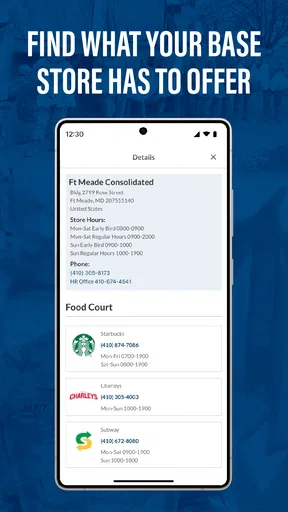
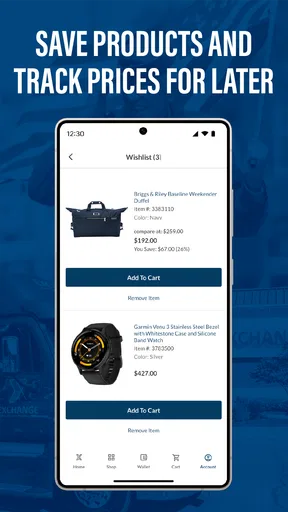
 Analysis by AppCompare
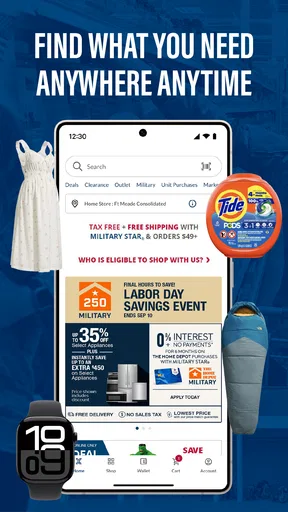
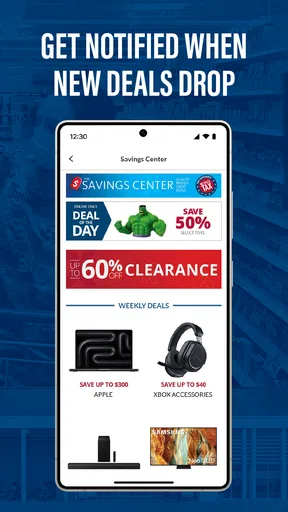
My first impression of My Exchange was that it is aimed at a very specific shopping routine rather than at everyone who wants another general retail app. Developed by Army & Air Force Exchange Service, it is built around the shopping experience connected with military benefits. That focus is its main reason to exist, and it also explains why the app can feel useful to one person while being largely irrelevant to another.
I approached it as a mobile shopping tool, paying particular attention to what happens when the phone has a reliable connection, when the network is weak, and when I am trying to use it quickly away from home. The app is free, carries an Everyone age rating, and its current version is 1.0.7. Those details make it easy to try, but the more important question is whether it fits the way you already shop through the Exchange.
How My Exchange fits into a connected shopping routine
The strongest part of this app is the direct connection between shopping and the military benefit context. A conventional marketplace app usually tries to serve the widest possible audience, filling the screen with broad product discovery, recommendations, and competing sellers. My Exchange feels more purposeful: its value depends on whether you are eligible to use the Exchange environment and whether you want that experience on your phone instead of relying on a browser or visiting a physical location.
That distinction matters before you install it. If you are looking for a general-purpose shopping service, this is not the app I would choose. It is not a replacement for a large marketplace with endless seller variety. For an eligible shopper, however, a dedicated app can reduce the need to switch between unrelated retail services and make Exchange shopping easier to keep in one place.
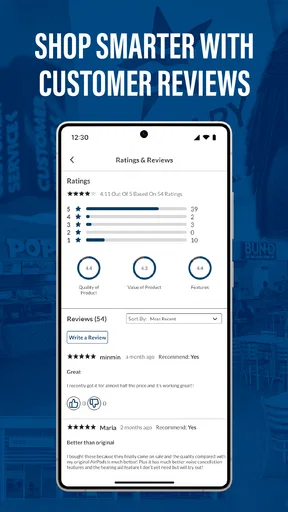
The app’s public score sits at a 3.4 average from around 151 ratings, with roughly 95 written reviews. I read that as a sign to keep expectations practical. It has attracted over 50 thousand installs, so it is not an obscure experiment, but its audience is naturally narrower than that of a mainstream shopping platform. The numbers suggest a product people are trying for a particular purpose, not one that should be judged by the same expectations as a massive general retailer.
When the network is doing the heavy lifting
Shopping apps are unusually dependent on a live connection because the useful information is rarely static. Product availability, account-related shopping steps, images, checkout details, and order progress all tend to require current communication with the service. With My Exchange, I would plan around that reality rather than treating it like a catalog that can be fully prepared in advance.
This becomes important in everyday situations. Imagine standing in a parking lot before heading into a store, trying to check an item or decide whether it is worth making a separate trip. A strong mobile signal can make that quick decision convenient. A crowded network, weak indoor reception, or a temporary service interruption can turn the same task into repeated loading attempts. The app may still be the right tool, but the quality of the experience will be shaped by the connection as much as by the interface.
Worth Reading Before You Choose

EA SPORTS FC Mobile 26 Is a Bigger Football Game, but It Takes Time

Flipboard Shows What News Apps Must Do Beyond the Feed

Switching to Android Auto Means Rethinking Your Driving Routine

Google Calendar Makes a Crowded Week Easier to Manage

Ludo King Makes the Most of the Minutes Between Plans

Baby Panda World Brings Quick Play to Modern Phones, but Its Game Library Feels Busy
I recommend opening the app before you are in a hurry. Let the first screens load while you have dependable Wi-Fi or a strong cellular signal, then move on to the specific shopping task. This is not a promise of offline functionality; it is simply a sensible way to avoid beginning an important purchase while the phone is struggling to establish contact with the service.
There is also a subtle trade-off between convenience and freshness. A shopping app needs current information to be useful, so reconnecting is part of the experience rather than an occasional annoyance. The same live connection that helps you see the latest shopping information is also what makes the app less dependable in a basement, a busy store, or a location with poor reception.
Using it in real mobile situations
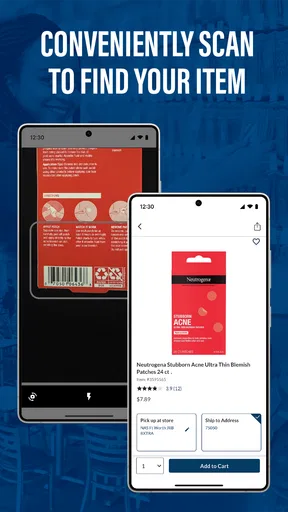
I think My Exchange makes the most sense in short, purposeful sessions. A phone is ideal when you already know what you want, need to check something while moving around, or want to handle a shopping step without sitting at a computer. It is less comfortable when you are conducting a long research session involving many products, because a larger browser screen can make comparison and reading easier.
For a service member or military family member managing errands, the mobile format can fit naturally between other tasks. You might be traveling between appointments, waiting for transportation, or planning a household purchase from a phone. In those moments, the dedicated app has an advantage over opening a general browser tab and searching for the correct Exchange page every time.
My practical advice is to separate browsing from commitment. Use a reliable connection for the part where you are checking details and deciding what to buy. If you are about to complete an important order, avoid doing it while moving through areas where the signal repeatedly drops. A failed page refresh is irritating during casual browsing; it is much more frustrating when it happens during the final steps of a purchase.
The phone itself also changes the way I would use this app. On a small screen, it is easy to skim and tap too quickly, especially when you are standing or carrying something. I would slow down before confirming any significant action and check that the page has finished loading. This is a small habit, but it helps distinguish a genuine service delay from a tap that simply has not registered yet.
Another useful mobile workflow is to decide what you need before opening the app. Instead of launching it with a vague intention to browse indefinitely, I would start with a short list: an item to locate, a shopping question to answer, or an order-related task to complete. That approach reduces screen time, limits unnecessary loading, and makes the app feel more like a practical Exchange companion than a place to wander.
What to do when a page fails or the signal disappears
Connectivity problems are not unique to My Exchange, but they deserve attention because a shopping session can appear broken when the real issue is the network. If a screen stays blank or a request takes unusually long, my first step would be to check whether other apps are also struggling. That quickly separates a local connection problem from an issue specific to the service.
If the connection is weak, I would stop repeatedly tapping the same control. Repeated taps can make it harder to tell whether the app is processing a request or whether nothing happened at all. Waiting for the current attempt to finish, then retrying once after moving to a stronger signal, is usually a cleaner approach. If possible, switching from unstable cellular reception to dependable Wi-Fi can also make the next attempt more predictable.
For an interrupted shopping task, I would keep a simple mental record of where I was: browsing, reviewing an item, or moving through a purchase step. After reconnecting, I would verify the current state rather than assuming the last tap failed. This matters especially when an action may have reached the service even though the confirmation screen did not appear immediately.
That cautious approach is one of the app’s practical limitations. A dedicated shopping app is convenient when everything communicates smoothly, but it can create uncertainty when the connection breaks at the wrong moment. A browser alternative may sometimes be preferable if the app is not responding on your device, because reopening a browser session can provide another route to the same shopping environment. I would not abandon the app after one failed load, but I would keep that fallback in mind for time-sensitive tasks.
Recovery is also easier when you avoid making a critical purchase from a place where reception is known to be unreliable. If you are at home, use the stronger connection there for the final review. If you are already inside a store, move toward an area with better reception before trying again. These are ordinary workarounds, yet they make a noticeable difference because they address the cause instead of treating every delay as an app defect.
Managing data use without making shopping difficult
Because My Exchange is a shopping app, browsing can involve images and repeated requests for updated information. I would not assume that every session has the same data cost, especially if you are scrolling through many products or reopening pages. If your mobile plan is limited, the most sensible habit is to reserve extended browsing for Wi-Fi and use cellular data for focused checks.
A data-conscious routine does not need to be restrictive. I would prepare a short shopping list while connected to Wi-Fi, then use the app on cellular only to confirm a specific item or handle a necessary task. Avoiding endless browsing is helpful for two reasons: it reduces data use and prevents the app from becoming a poor substitute for a larger shopping screen.
There is a trade-off here. Wi-Fi can be more economical for heavy browsing, but public networks are not always stable, and a weak Wi-Fi connection may be worse than a strong cellular one. I would choose the connection that is both reliable and appropriate for the sensitivity of the task. For ordinary product browsing, convenience may matter most; for a purchase or account-related step, I would prefer a connection I trust and can monitor.
Another small tip is to avoid restarting the same session over and over whenever a page is slow. Repeated reloads can consume more data without solving the underlying problem. Give the app a moment, check the connection, and retry deliberately. This is especially worthwhile when you are traveling or using a metered plan.
Who will benefit most, and who should look elsewhere
I would recommend My Exchange first to people who are already part of the Exchange’s intended military shopping audience and want a dedicated mobile route to that service. For them, the app’s focused purpose is more valuable than a long list of unrelated retail features. It can fit a routine where shopping decisions happen during the day rather than at a desk.
I would also consider it useful for households that want to keep Exchange shopping separate from ordinary marketplace purchases. That separation can make the destination clearer: when I open this app, I know I am entering a particular shopping environment rather than a general feed built around multiple retailers.
I would skip it if you are not eligible for the relevant military shopping benefits or if you mainly want broad comparison shopping across many stores. A general retailer or price-comparison service will be a better match for that goal. I would also lean toward a desktop browser when I need to inspect many options side by side, read extensively, or plan a large shopping session.
Another reason to choose an alternative is connectivity. If your usual shopping locations have poor reception and you often need information immediately, an app whose usefulness depends on live access may not suit your routine. In that case, preparing your shopping decisions earlier or using a more dependable browser session could be less stressful.
My final view after weighing convenience against connection
My Exchange is a specialized shopping app with a clear audience and a clear reason to install it. The contribution from Army & Air Force Exchange Service is most apparent in that focused identity: this is not trying to be every retailer at once. Its free price and Everyone rating make trying it straightforward, while the 1.0.7 release indicates a relatively early stage where I would keep my expectations measured rather than expecting the polish of a long-established universal marketplace.
The app works best when I treat connectivity as part of the shopping process. A strong connection supports quick checks and smoother mobile sessions; a weak one can interrupt browsing or leave me uncertain about whether a step completed. Planning important actions for a reliable network, limiting cellular browsing when necessary, and keeping a browser fallback for urgent situations are the three habits I would carry into regular use.
My recommendation is therefore conditional but positive. If the Exchange is already part of your eligible shopping routine, My Exchange is worth trying because its dedicated mobile focus can save effort during everyday errands. If you want a general shopping destination, extensive product comparison, or a tool that remains dependable in disconnected places, I would choose something else. The right verdict depends less on the app’s broad popularity than on whether its military-focused purpose matches your shopping life and your usual network conditions.
After considering the mobile workflow, recovery friction, and data trade-offs, I see it as a practical companion rather than a complete replacement for every way of shopping. Use it for focused Exchange tasks, give it a dependable connection when the action matters, and keep your expectations aligned with its specialized role. For the people it is designed to serve, that can be enough to make it genuinely useful.
Pros
- Clear overview of exchange rates and market movements
- Useful tools for comparing currencies before making a transaction
- Clean interface makes key information easy to find
- Can help users track currency values in different regions
- Suitable for both casual users and frequent travelers
Cons
- Exchange rates may vary from those offered by banks or payment providers
- Some features may require an internet connection
- Market data may not update instantly during volatile periods
- Advanced exchange information can feel limited for experienced traders
- Availability of certain functions may differ by country or device
FAQs for My Exchange
What is My Exchange and what can I use it for?
My Exchange is an app designed to help users manage currency conversions and exchange-rate information from a mobile device. Depending on the version and region, it may provide current rates, conversion tools, supported-currency lists, and transaction-related features. Before downloading, check the app’s official description to confirm whether it supports the currencies, services, and exchange providers you actually need.
Does My Exchange provide real-time exchange rates?
Exchange-rate availability can depend on the app’s data sources, update schedule, internet connection, and the selected currency pair. My Exchange may display indicative or regularly updated rates, but these figures should not automatically be considered the final rate offered by a bank, exchange office, card provider, or payment service. Always verify the applicable rate, fees, and timing before completing a transaction.
Is My Exchange free to download and use?
The app may be available to download at no initial cost, but some tools or services could involve advertising, optional purchases, account requirements, provider fees, or charges connected with an actual exchange. Installation from an official store is recommended, and users should review the listing, in-app pricing information, and terms carefully so they understand which features are free and which may require payment.
Does My Exchange require an account or personal information?
Basic exchange-rate or calculator functions may work without registration, while features involving saved preferences, transaction history, transfers, or partner services may require an account. The information requested can vary by platform and location. Before signing up, review the app’s privacy policy and permissions, particularly if the app requests identity details, financial information, contacts, location, or access that seems unrelated to its main purpose.
Is My Exchange safe for financial transactions?
My Exchange should be downloaded only from a trusted official source, and users should confirm the developer name, reviews, update history, and requested permissions before installing it. An exchange-rate calculator is different from a regulated financial service, so do not assume that every feature provides banking-level protection. Avoid sharing passwords or payment details unless the service is clearly verified and its security and regulatory information are available.


